
Activity And Login History
Use history to understand a recorded event: who accessed an account, which data changed, or how a document progressed. Choose the history that matches your question; these are different records, not one complete log of everything.
Choose The Right History
| Your Question | Where To Look |
|---|---|
| When did my account successfully access this company? | My Login History in the profile menu. |
| Which users successfully accessed the company? | Login History, with the required company-level access. |
| Who changed a field, and what changed? | Change Log at the bottom of a supported page. |
| Who approved, rejected, submitted, or processed a document? | The document's approval/activity history; see Approval Guide. |
| How long did approvals take across documents? | Approval Timeline in Reports And Audit. |
| Can I keep monthly reimbursement PDFs and attachments? | Audit Archive in Reports And Audit. |
Check Your Own Login History
Open the user/profile menu, then My Login History.
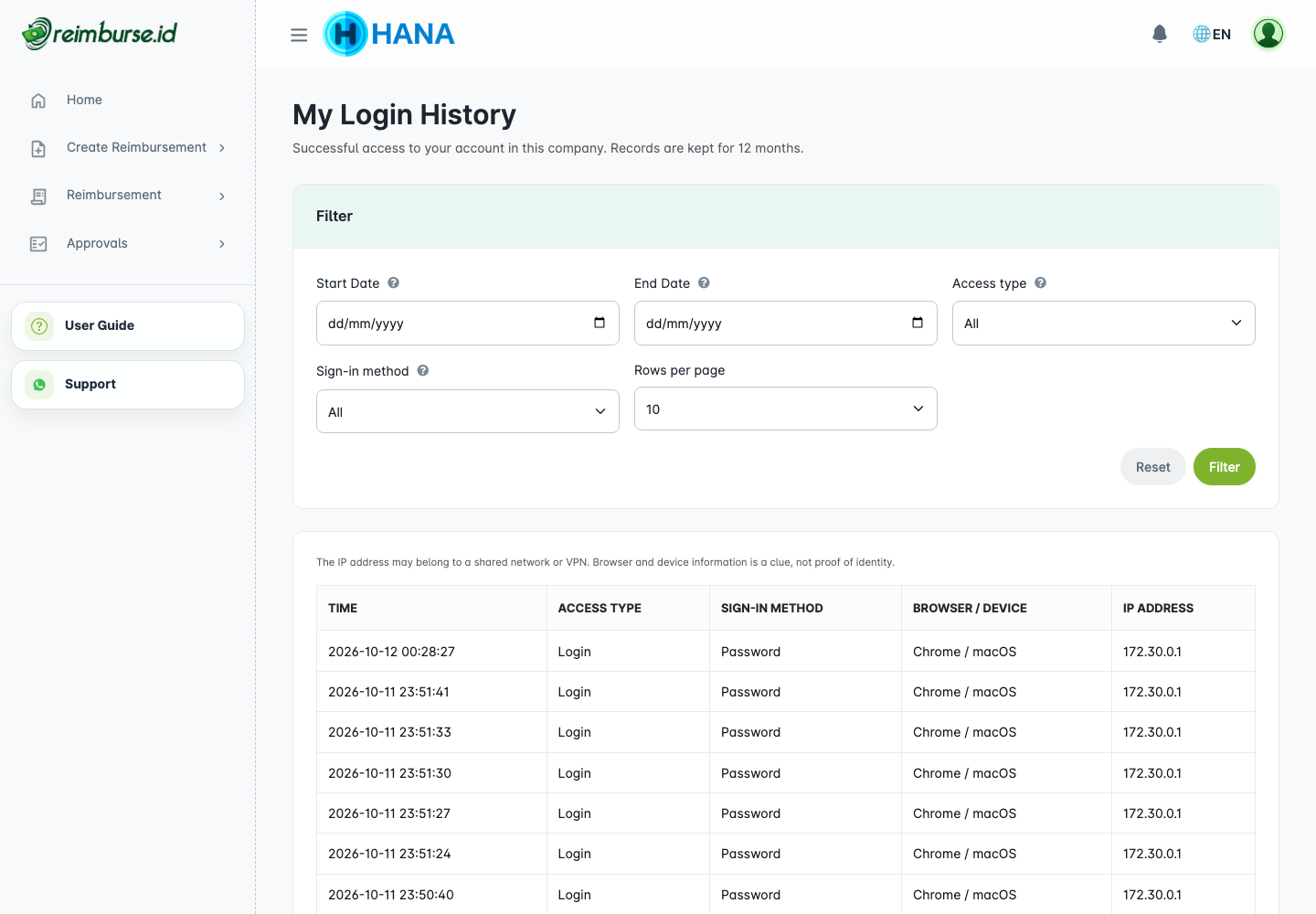
This page shows successful access to your account in the current company. It is not a list of all failed login attempts. Opening or refreshing a page does not create a new login event.
Use the date range, Access type, Sign-in method, and Rows per page to narrow the list. Dates and times follow the company timezone. The date range includes the selected start and end dates.
Check Company Login History
An authorized administrator can open Configuration > Users & Access > Login History.
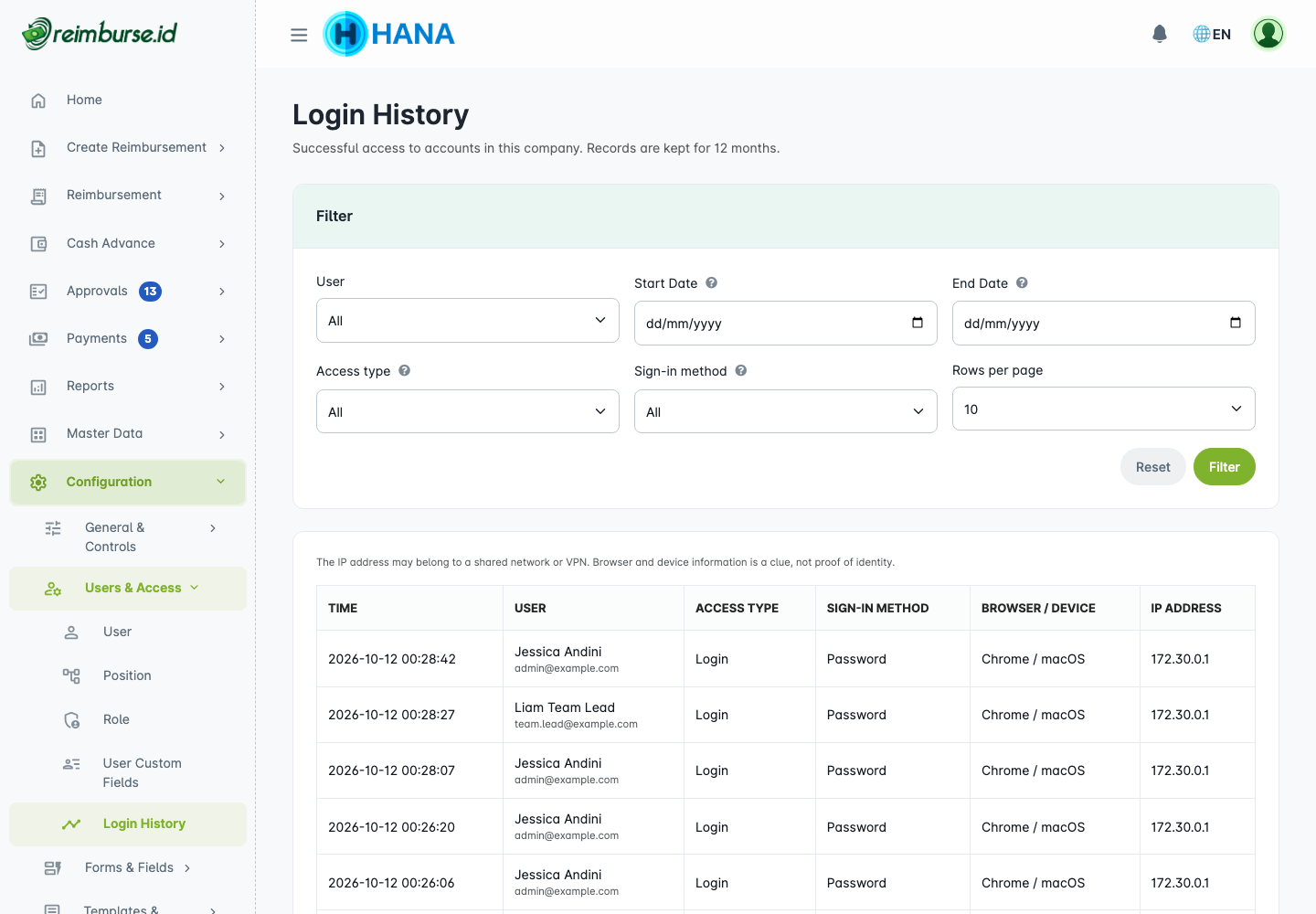
Use the User filter as well as the date, access type, and sign-in method filters. This view requires company login-history access; personal history access does not grant permission to browse other users' history.
Understand Access Records
| Field | How To Read It |
|---|---|
| Time | Time of the recorded successful access in the company timezone. |
| Access type | Login, access through an approval link, or a switch into this company. |
| Sign-in method | Password, social provider, an existing session, remembered login, API, or an approval link, as applicable. |
| Browser / Device | A clue about the browser/device used, not proof of the person's identity. |
| IP address | The connection address, which may belong to a shared network or VPN. |
Login history is retained for 12 months. An older missing row does not by itself mean the account never accessed the company. If you see access you do not recognize, ask your administrator to investigate with the recorded time and context; an IP/device label alone is not enough to identify a person.
Open Change Log
On a supported page, scroll to the bottom and click the Change Log icon: the small list icon at the bottom right. You need Change Log access and access to the related data/document. An approval-only link does not provide general company-history access.
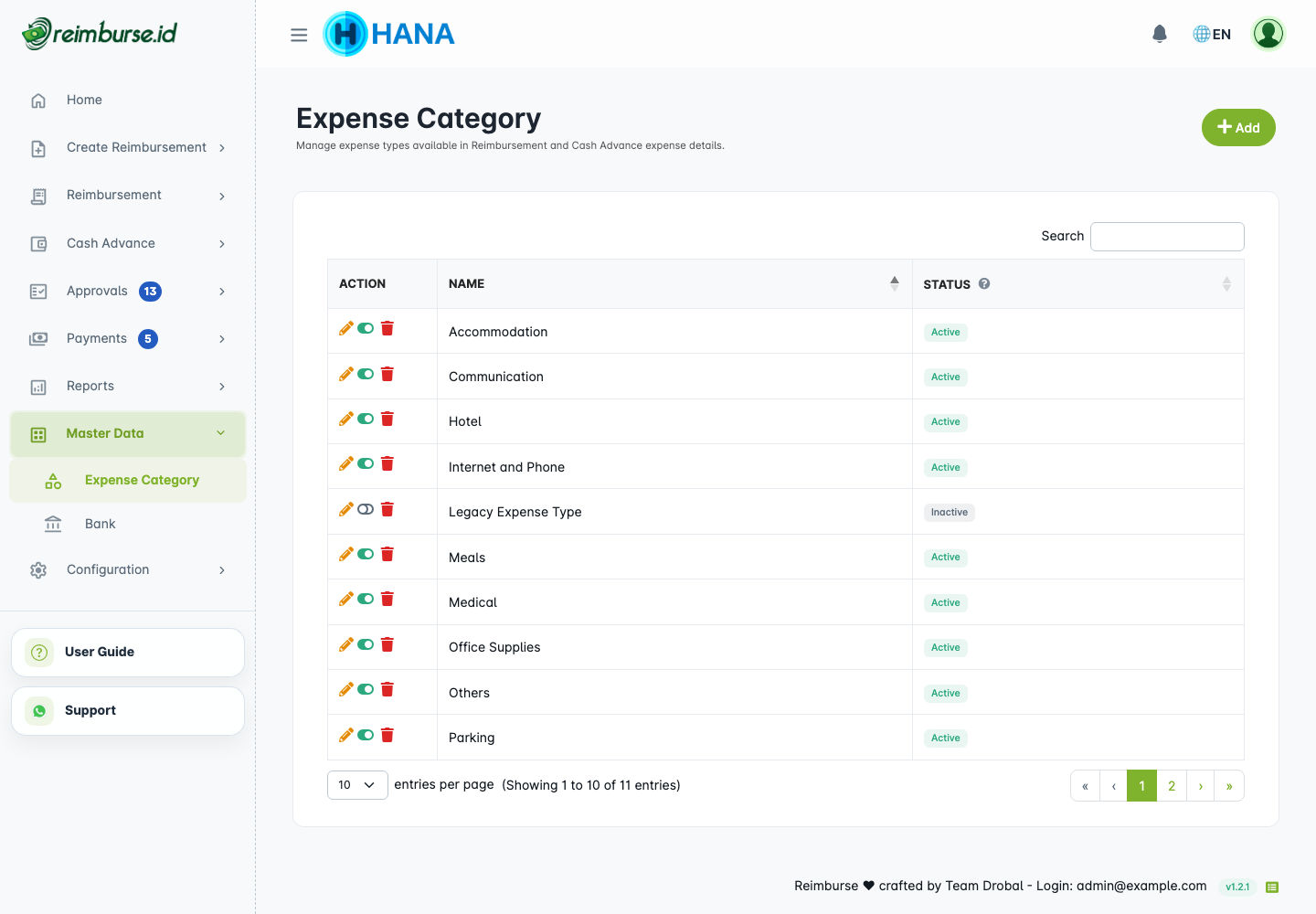
The window shows recorded changes for the page's data. On a document page, it is scoped to that document, rather than all company documents.
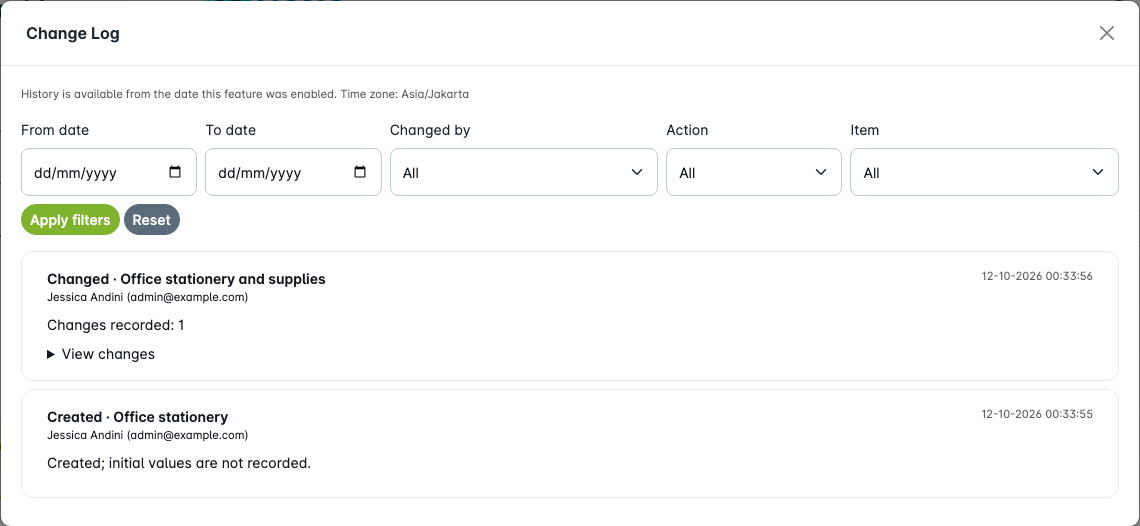
Filter by date, actor, action, and item where available, then apply the filters. Use Load more for older matching entries. Date filters use the company timezone. A record can retain the actor/item's historical identity after an account or item has been deleted.
Read Before And After Values
Open View changes on a changed entry.
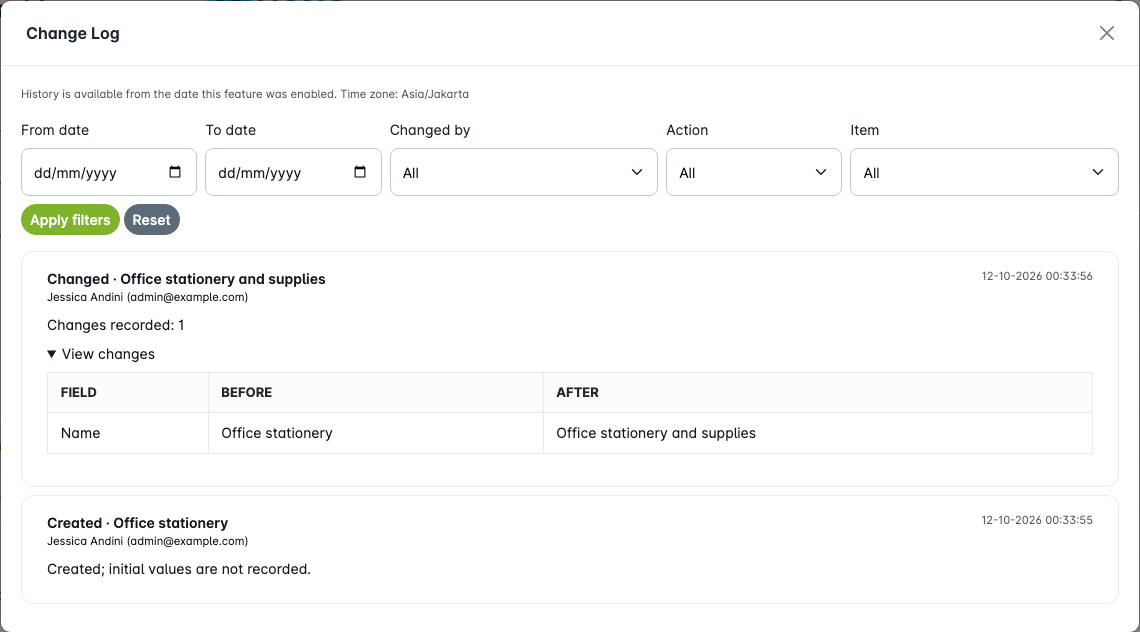
The table shows the field, Before, and After values that were recorded. Created entries identify creation but do not include a full set of initial field values. Deleted entries record deletion; the log is not an undo or restore tool.
History is available since this feature was activated. It does not automatically reconstruct earlier edits. A missing entry can mean that no supported change was recorded for that page/filter; do not treat it as proof that a field never changed.
Use History With Document Records
Change Log explains data edits. Approval/activity history explains workflow decisions and actions. Financial records explain Cash Advance disbursements, returns, additional payments, and reversals; see Cash Advance Fund Management.
Use these records together for a review, but do not expect one of them to replace the others. For exports and monthly archive packages, see Reports And Audit. For missing menus or records, see Troubleshooting.